 Port
PortInvestment Portfolio — Track Investments from Your Brokerage Report
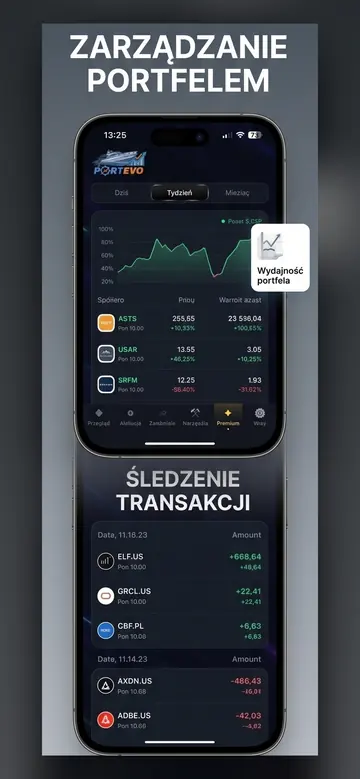
You upload a transaction report from your brokerage account, and Portevo reconstructs your entire portfolio from it: positions, deposits, commissions, and daily valuations in your own currency. No need to manually enter transactions into a spreadsheet or provide anyone with your broker's login credentials.
Where portfolio data comes from
From a file you download yourself from your broker — a transaction history report in XLSX, CSV, or ZIP format. Portevo does not connect to your brokerage account, does not ask for your broker's account password, and does not have access to your money. This is a conscious choice: importing a file provides the same data without requiring you to entrust anyone with the keys to your account.
The import process is repeatable. Transactions have their own identifiers, so uploading the same report a second time won't duplicate anything — only new rows are added. You upload a new report periodically, and your portfolio simply catches up.
What Portevo calculates for you
- Portfolio value in your own currency — positions in dollars and euros are converted at the daily exchange rate, so you see one number instead of having to mentally add up four currencies.
- Investment return resistant to deposits — depositing new money increases portfolio value, but it's not profit. Portevo separately calculates investment returns and deposit inflows.
- Costs — actual commissions paid, calculated from your transaction history, and the exit cost of current positions based on your broker's commission profile.
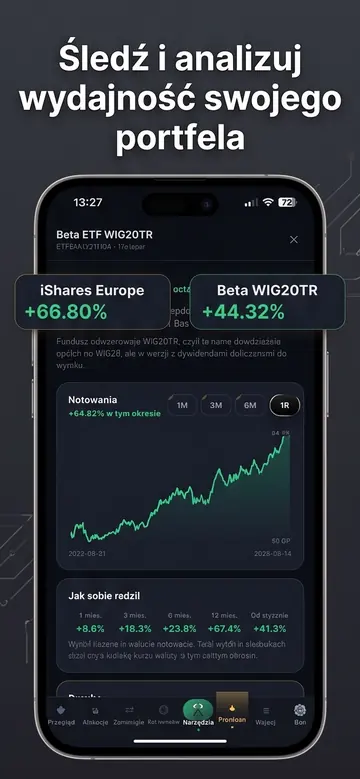
- Market comparison — the same curve overlaid with S&P 500, WIG, WIG20, and Polish inflation. A return lower than inflation is a real loss, and the chart shows this clearly.
- Closed positions — effectiveness, average profit and loss, average holding period, best and worst trades.
A chart that doesn't lie on short timeframes
A week composed of end-of-day quotes means five data points, two of which are repeated Fridays — the chart then appears as a flat line, making it seem like nothing happened. Portevo's daily and weekly charts are built from intraday bars, so short timeframes show the real session progression, not just steps.
See also
Frequently Asked Questions
Which brokers can I import reports from?
The import feature is designed for XTB reports in XLSX format, as this is the most commonly used brokerage account in Poland. CSV and ZIP files are also recognized. We add support for additional brokers based on user requests.
Does Portevo have access to my money?
No. The application only reads the transaction history file that you upload yourself. It does not connect to your brokerage account, does not know your password, and does not execute any transactions.
Is portfolio tracking a paid feature?
No. Report import, portfolio valuation, rate of return, costs, and comparison with indexes are free. Additional analytical tools are paid — $4.99 per month or $29.99 per year.
Can I have multiple accounts in one portfolio?
Yes. You upload reports from different accounts one after another, and Portevo keeps them separate while also summing them into a single view. You can also set a custom commission profile for each account.
What happens to my data if I delete my account?
Deleting your account in the "More" tab instantly and permanently erases all portfolio data. There's no need to contact us or wait.
Related topics
View your portfolio in your own currency
Upload your brokerage report and in seconds you'll have a valuation, return, and costs. Without providing your broker's login details.
Portevo is not an investment advisor. The data and analyses are for informational and educational purposes only and do not constitute a recommendation or an offer to buy or sell financial instruments. Quotes are from external providers and may be delayed. You make investment decisions at your own risk.
Your entire portfolio, company earnings, and insider trades in one place
Upload your XTB report or add companies manually — Portevo will calculate your net profit after costs, show you the earnings dates for your companies, and display insider faces on charts.
- Portfolio with Net Profit After Costs
- Earnings Calendar for Your Companies
- Pelosi, Trump, and CEO Trades on a Chart
- Works in Browser and on iPhone
No credit card required. A demo portfolio is available immediately; create your own by uploading a report.